




Xbox One E3 Games Running On Windows 7 NVIDIA PCs?
Lately, it seems like Microsoft is trying to screw up with the...


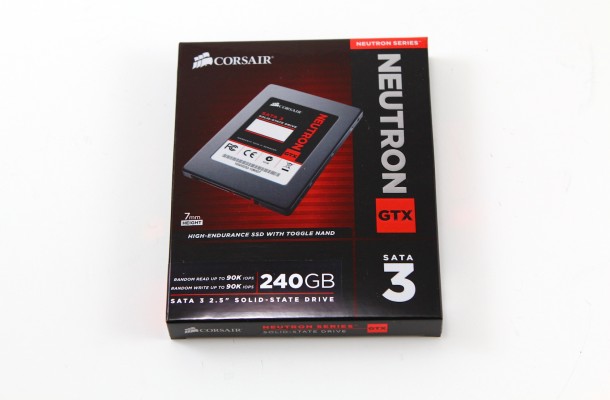
Everyone is slowly moving from mechanical drives to SSD be it as a CACHE drive or main BOOT drive the trend is growing and as prices drop we will see this takeover as the main form of storage for computers of all types. So how do you choose one? Well for starters take a look at the technology and the controller being used in the said SSD category you need. For CACHE drives no more than 128GB are really needed and the faster the drive the better the CACHING process works. Larger drives are starting to come down in price and with new technologies emerging RAID arrays are becoming faster and more stable making the use of a combination of drives more appealing to a broader audience.
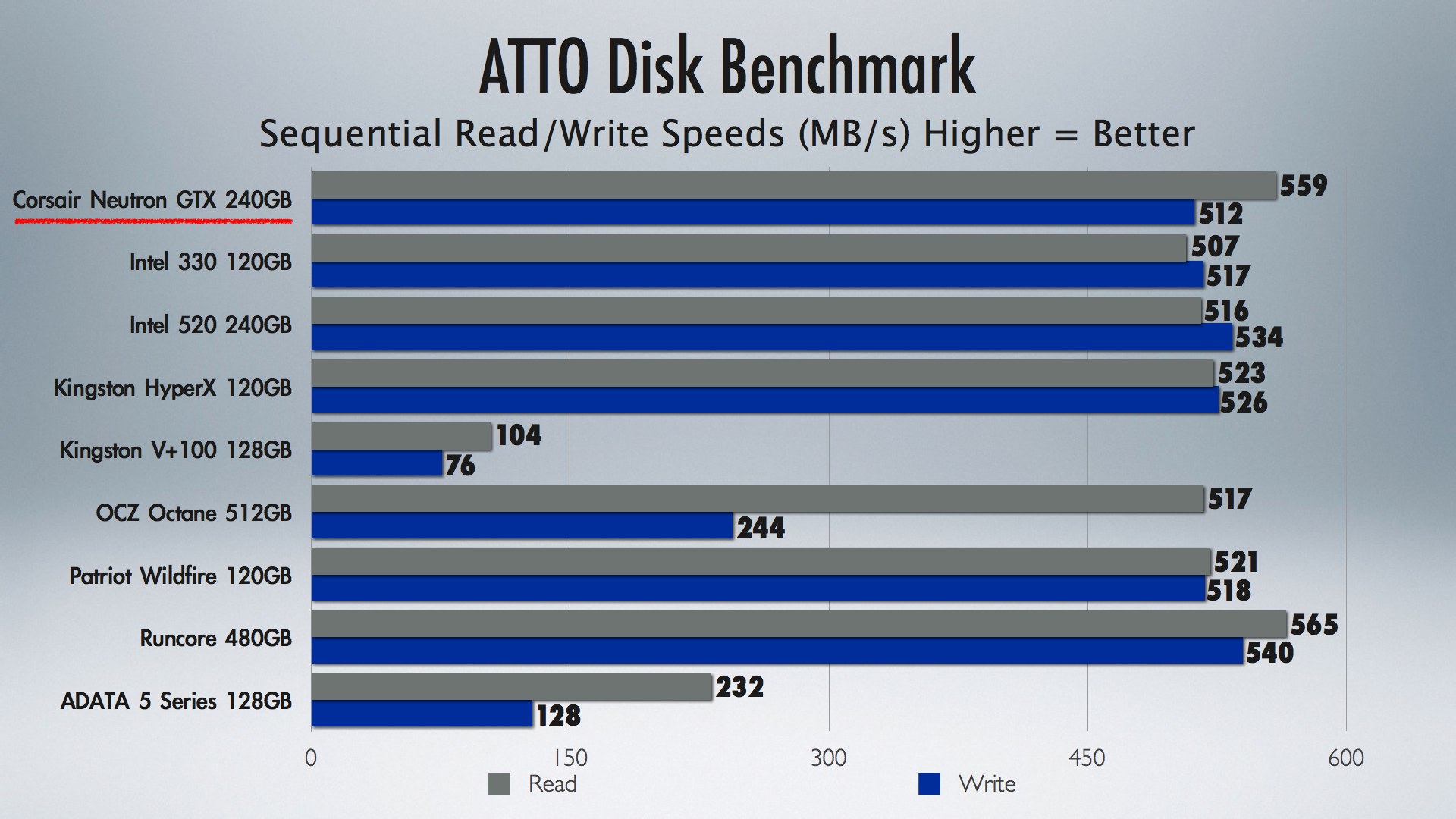
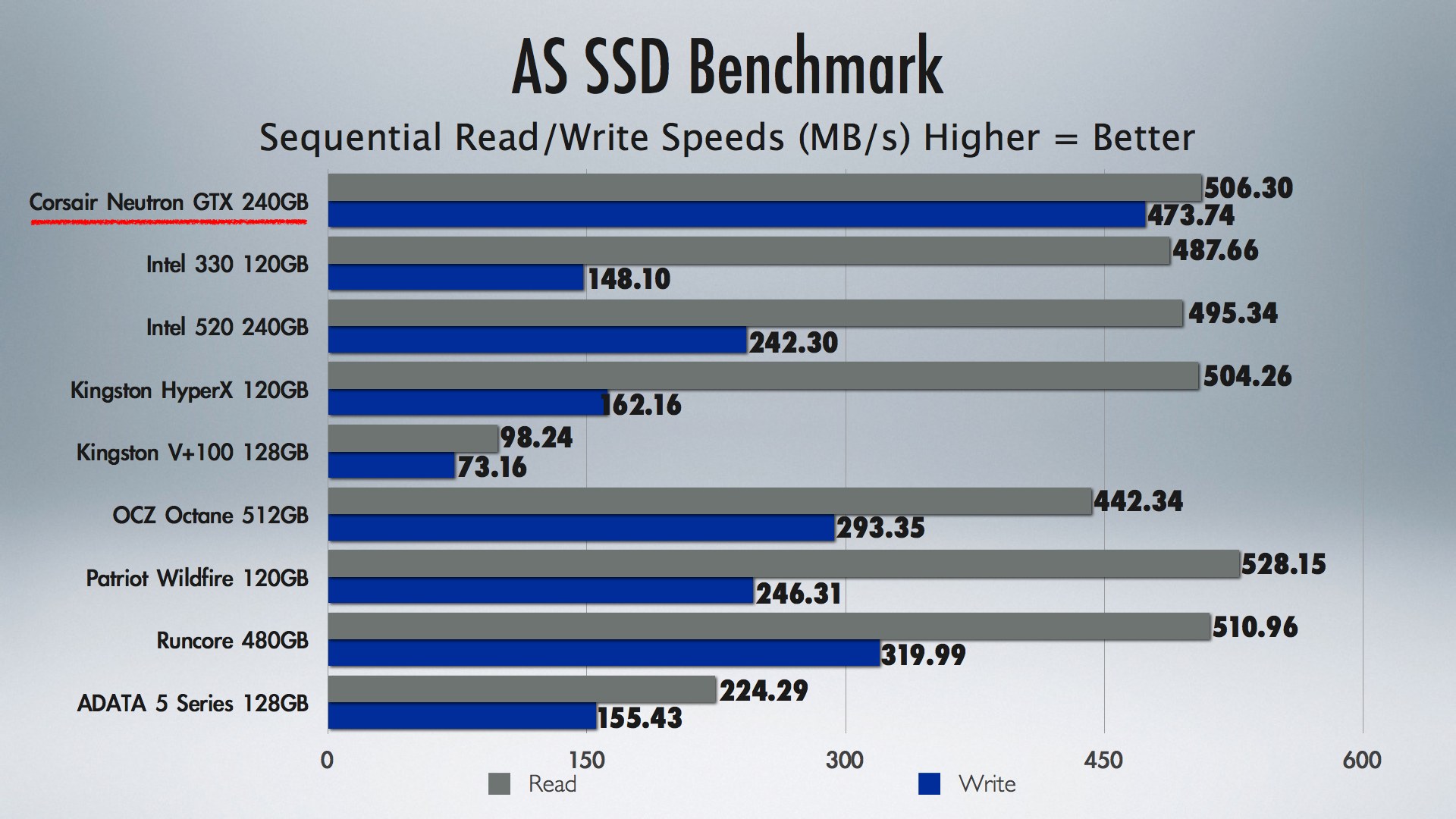
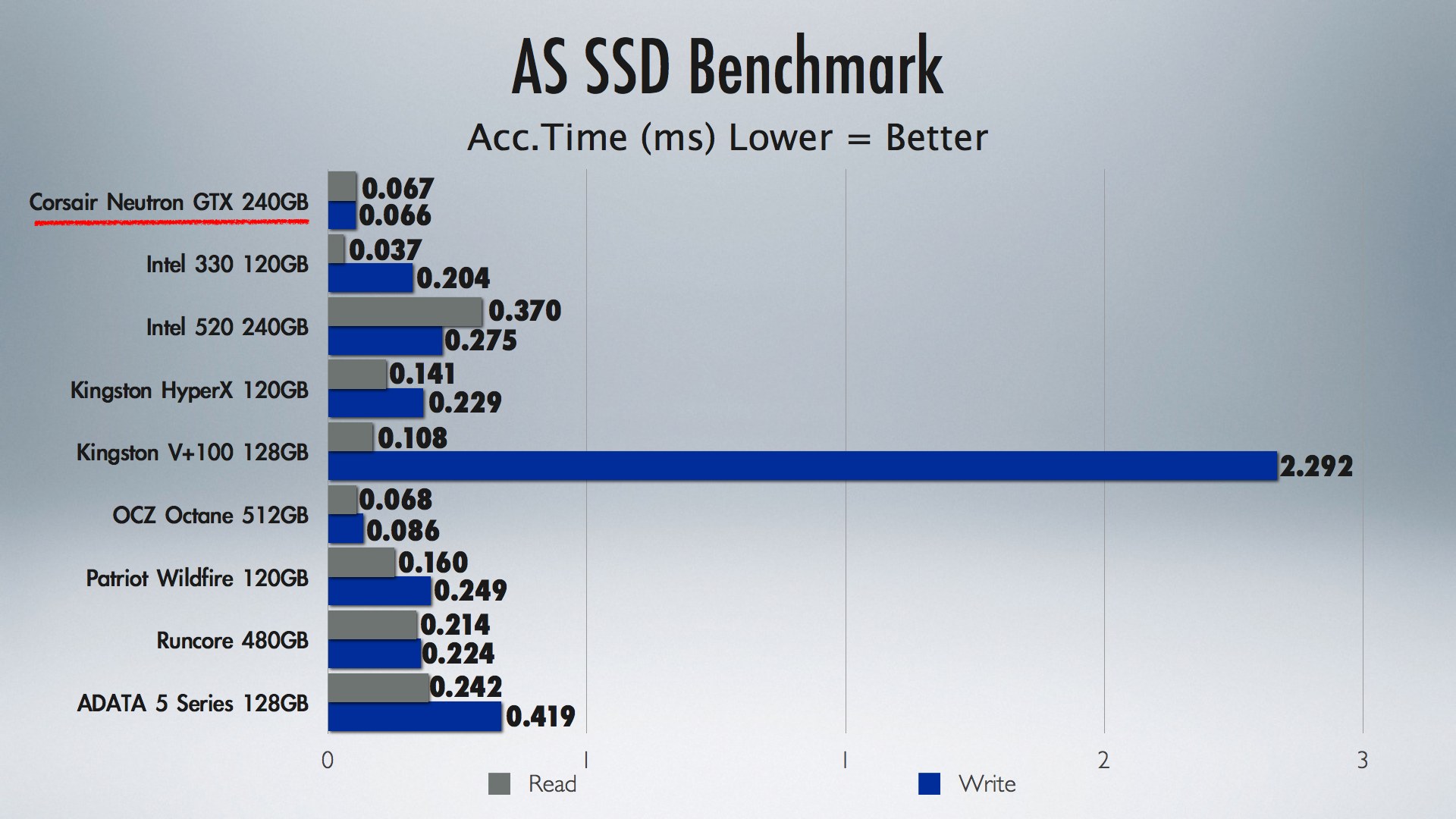
Like memory lower latency means faster response times and the Corsair Neutron GTX showed some of the lowest we have seen yet on consumer based SSDs, and the only drives that showed faster were enterprise level drives at a much higher price point. Under normal consumer level loads the drive performed very well, but when installed into a server and used under enterprise level stress the drive still maintained its performance and stability. I used the Intel SATA 6GB connection on an ASUS RAMPAGE IV Extreme for all my SSD testing. Different controllers yield varied results, but most Intel based motherboards have their own 6GB controller onboard so this setup should have a large base of users who are using this controller as well.
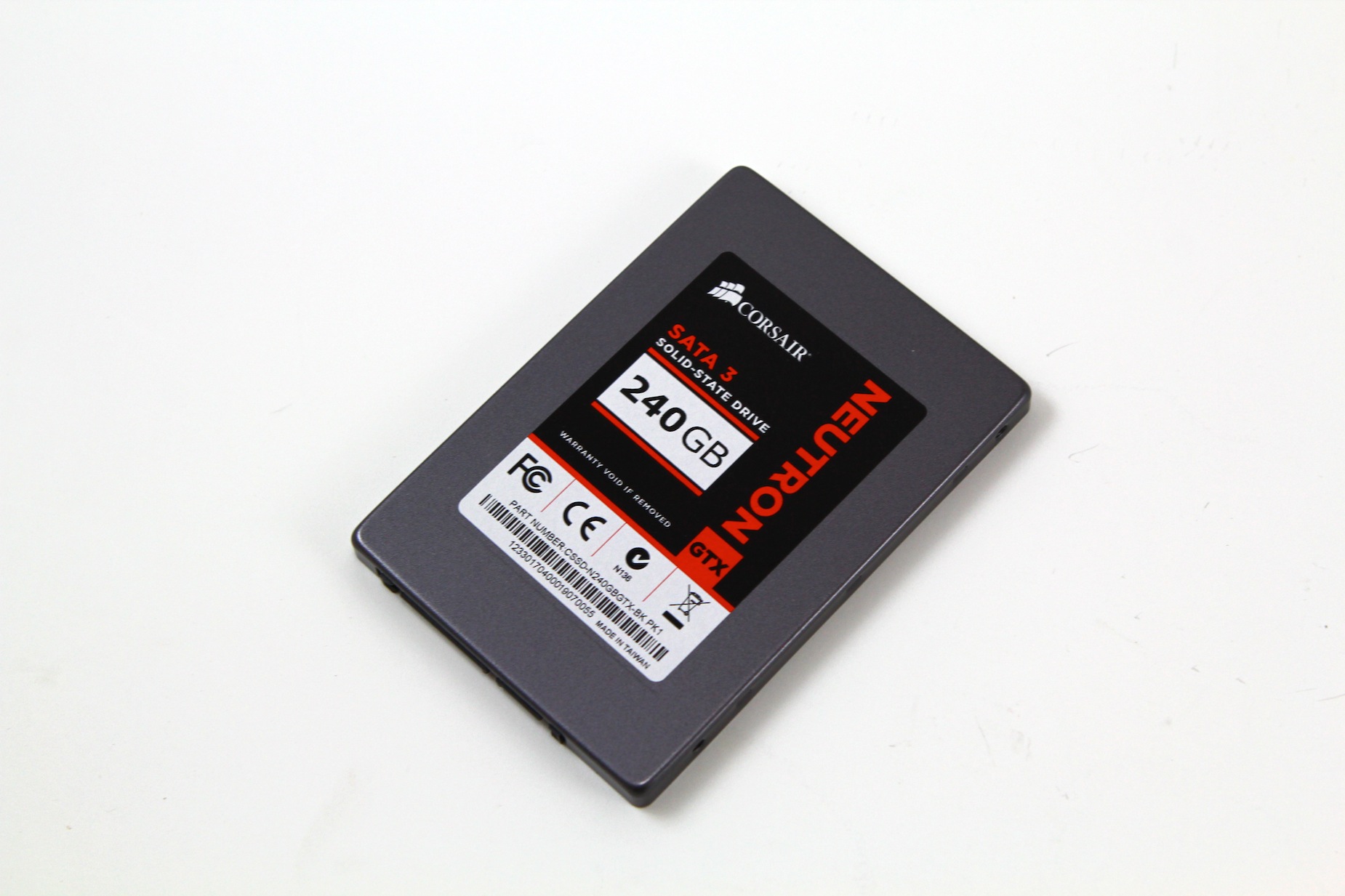
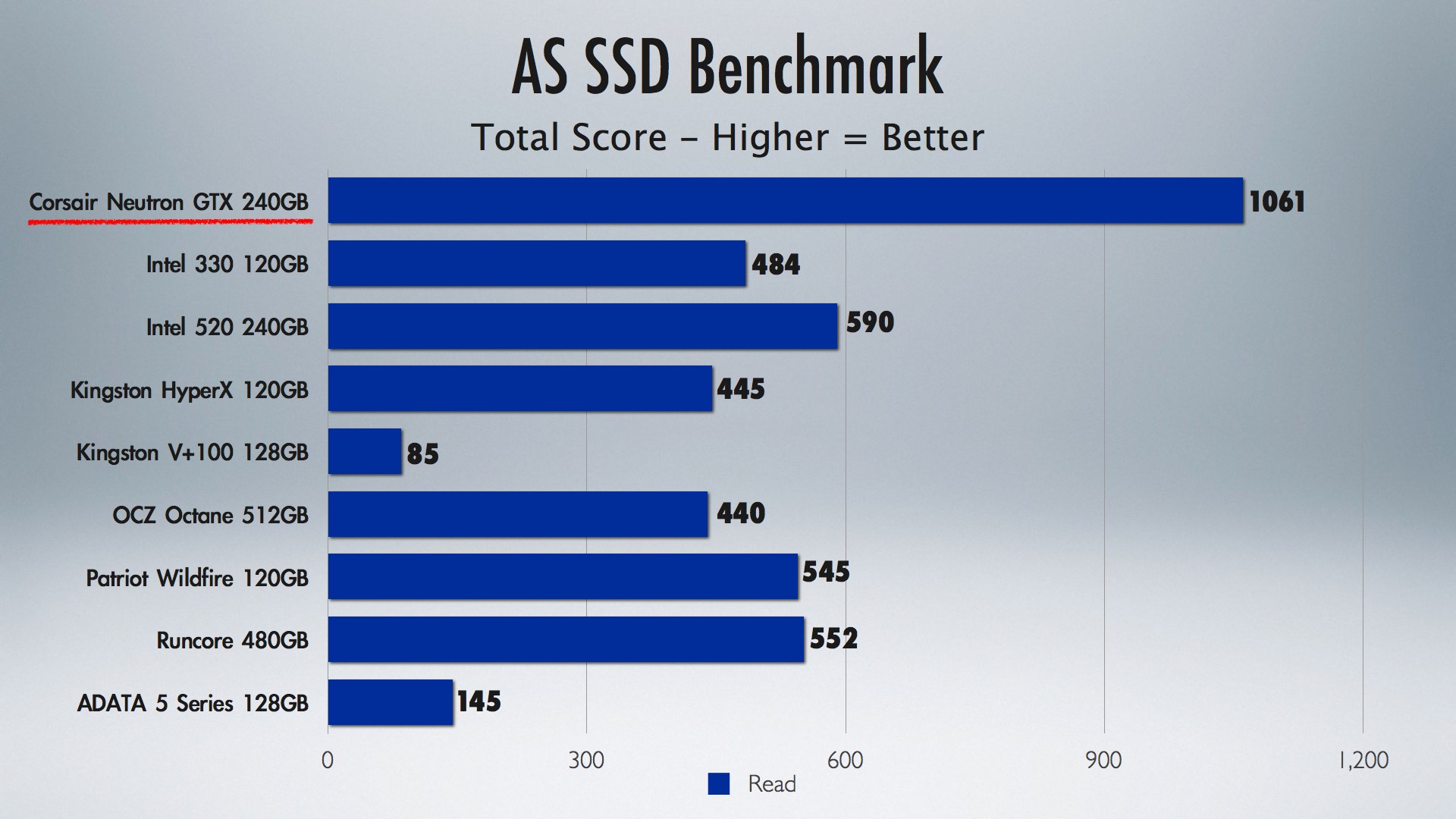
Having on the Fly Error correcting and Toggle Mode NAND ensure the Neutron maintains fast performance, but also maintains the integrity of your valuable information. The Neutron and Neutron GTX SSDs are powered by the LM87800 SSD controller from Link_A_Media Devices (LAMD), a leader in the development of semiconductor SoC (system on chip) solutions for the enterprise and mobile storage market. Available in an extreme performance Neutron GTX model, the new SSDs bring professional-grade performance and reliability to PC enthusiasts, content creators, and IT professionals. Corsair has lately really picked up the ball and started releasing many new series of products including their new professional line of PSUs, which I will be covering tomorrow. As you can see form the performance and BOOT tests the new Corsair Neutron GTX 240GB SSD is one of the fastest and lowest latency SSD to be tested for the desktop environment.
Installation is an easy process for either a laptop or desktop and the drive is so light that it feels like you are installing almost nothing. There are adequate screw holes for mounting directly into a case or laptop that has the appropriate connections or there is an included bracket for installing into a 5.25 bay in your case. First make sure you install the drive into a SATA 6GB connection for optimal performance. Then If using as a boot drive go into the BIOS and choose the Neutron as the primary BOOT drive and then when in the Windows BOOT menu select the Corsair Neutron GTX 240GB as the drive to which to install windows. If using as a CACHE drive hook the drive up the same way, but when you get into Windows first go into the control panel under drive options and format the drive. After that use Intel’s Smart Response Technology to make the drive your CACHE drive and after a few programs starts you will notice a performance increase. Either way you will see a significant performance increase in your system, as having a new high speed Corsair Neutron GTX 240GB SSD installed will surely enhance your system.
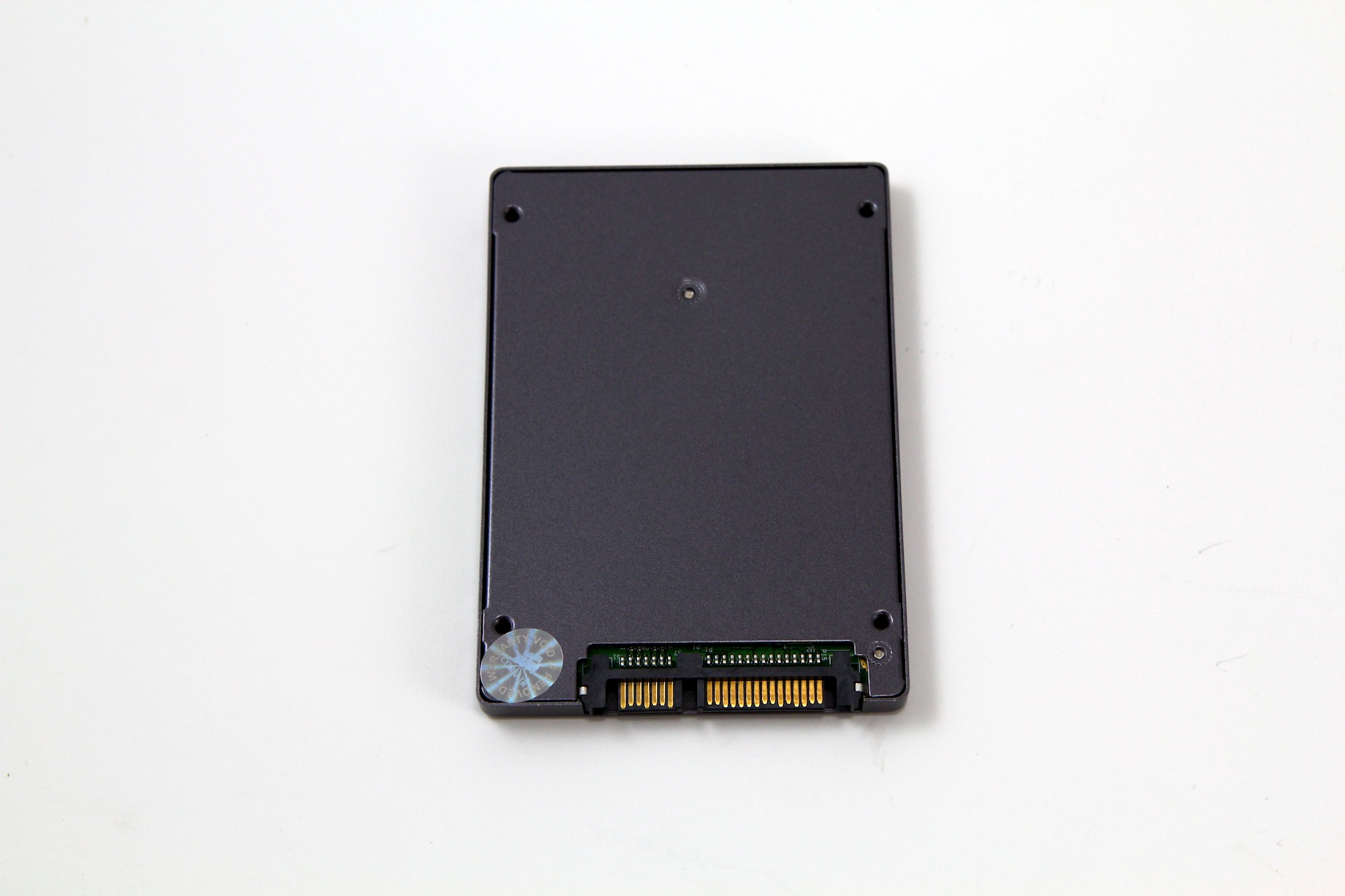
The lifespan will have to be determined in well, time, but from our tests the Neutron GTX series of SSDs seem to be able to hold their own in a market that keeps getting more and more players by the week. 240GB is enough storage to be your primary drive and using your old 1TB hard drive for media storage can change your user experience as you will be surprised at how much of a performance boost a good SSD can give your system. The Corsair Neutron 240GB SSD showed solid performance, improved boot and access times and is overall one of the best upgrades you can give your system as we merge into Windows 8. A product is only as good as the company behind it and Corsair has been a solid competitor for as long as I have been building PCs for as long as I can remember as they have a great support and RMA team as well as great products. Products like this make your buying decision much easier as the Corsair Neutron GTX 240GB drive is a solid Editors Choice product here on Tech OF Tomorrow. For those wanting to make the jump over to Windows 8 now is the best time to upgrade as a fresh install on your PC is always the best way to go when installing a new OS. Thanks for taking the time to read this article.

Lately, it seems like Microsoft is trying to screw up with the...

Another day, another Galaxy S4 from Samsung. This time around, Samsung...

For many a user, the Haswell series of CPUs and Z87-chipset...


 Puppet H says:
 SilentCid says:
 komenisai says:
 Dropship says:
Pingback: elfa hina
Pingback: yuk mi
Pingback: Woodrow Willour
Pingback: Alishia Bartucca
Pingback: Anisha Huson
Pingback: best android tablet
Pingback: social media
Pingback: URL
Pingback: Real Quick App Review
Pingback: กระบอง
Pingback: psicologa a monza
Pingback: blog link
Pingback: cheap makeup brushes
Pingback: SMC
Pingback: Traffic Fortune Reviews
Pingback: Plexus Slim
Pingback: Info Product System
Pingback: tatuaggi
Pingback: Creating Profitable Websites
Pingback: pickup lines
Pingback: trial chat
Pingback: Wall Street Exposed Review
Pingback: Social Share
Pingback: How Can Make Money
Pingback: My sources
Pingback: sports massage london
Pingback: Check This Out