
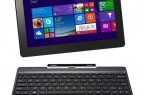

ASUS Transformer Book T100 Now Shipping with HDD Keyboard Dock
| ASUS today announced that the Transformer |



If you are looking for another board for your Z87 platform or just looking to start building a new Haswell based system, ASUS has a motherboard that has some very interesting things that may pique your interest.
ASUS has just released their new Z87 Maximus VI Formula motherboard that covers all the bases when it comes to a solid place to start your build. The M-VI Formula is a crossover product, as anyone familiar with the ASUS Sabertooth line of motherboard knows that those boards use a very nice armor protection that protects the board and the user, and that series has always been a favorite of mine due to that factor.
The new Formula version 6.0 has that same armor installed on the board bringing a ROG series product with the armor of a Sabertooth for motherboard protection, which is a first and solid idea all around methinks. You can also integrate your liquid cooling system onto the Maximus VI Formula by way of connections and the cooling apparatus on the top of the board. You do not have to do this, and air-cooling is still available, but the option to go hog wild is available as well. Options and more options fill this motherboard that is geared for the enthusiast user who wants everything to be on his/her motherboard without sacrificing anything for sub-standard quality.
Sound, something that recently has started to get taken more seriously, flourishes on the Maximus VI Formula, which not only uses high-end components in the design of the sound system. It also has the components segregated away from the other electronic parts of the motherboard offering cleaner (Less Noise and Hum) audio.
They also integrate superior headphone and front panel audio amps so you can even use audiophile level headphones if you want to get the absolute clearest sound reproduction. Regardless of what type of speaker system you are using you can choose from 2-4-6 or 8-channel configurations depending on your need and with the included ASUS audio software you can customize your audio to exactly how you prefer it to be.

There are 8 fan headers with anti-static protection in various locations around the board, which is plenty, and with ASUS board you can totally customize the name, speed, and amount of electricity they use within the BIOS, or in the Windows environment via ASUS software. The board has 3 PCIe slots designated by PCIe1/16/8 then PCIe2/8/4 and then PCIe3 at 4X supporting both CrossFire and SLI configurations.
ASUS also recommends that if you are using an SLI or CrossFire system that you use at least a 1000w PSU for maximum stability, and using the EZplug located on the bottom of the Maximus VI Formula is also recommended if you are utilizing all the PCIe slots at the same time. Most gamers use 1 or 2 cards, and only the hardcore enthusiast builders really need anything more anyways.

Memory support is incredible with up to 3000MHz support through approved XMP profiles and with all the other options in the BIOS overclocking comes pretty easily as well. If you just want to get reasonable speed enhancements this board has automatic settings guaranteed to work, but for extreme overclocking that requires special cooling and things that you cannot fit in your case. In the environment of a home reality, that to me is far more important than what you can get using dry ice or LN2 for your cooling as most homes are welcoming to that type of setup.
Like I said before ASUS has covered all their bases with this release. USB, 2.0, 3.0 as well as HDMI and DisplayPort connectivity for users wanting to utilize the onboard graphics available on the CPU are covered on the rear I/O, where both the digital and analog audio and Ethernet connections are located as well. Today we do the unboxing and first look over on our YouTube channel and for users already into the color scheme of the R.O.G series of boards you will really like what you see here today, so check out the video down below. I think that this board is cool enough to do a build around so this baby is going into some new crazy system build and your ideas are always an inspiration, so if you have something to say lets hear it in the comments below.




| ASUS today announced that the Transformer |


Swiftech Announces New FlagShip Apogee XL CPU Waterblock. Long Beach, April 19,...


The GeForce GTX 760 Gets Unleashed Another week means yet another launch...

 Juraj-Anton Matovina says:
 Samed Nasr says:
 squeky walrus says:
 Jay says: