



99% of Android Devices Are Open to Attack
A warning to Android users! Some of your information can be...

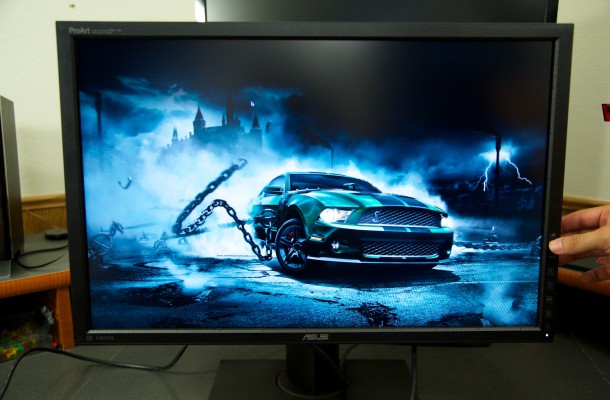
PA249Q Setup and Usage
Setup was done very easily and one of cool things about the PA249Q is its built-in connectivity offering 4-USB 3.0 ports that are powered by your motherboard via the upstream cable as well as an HDMI, D-Sub, DisplayPort and DVI-D connections for connecting to your video card.
For our testing I used the DisplayPort connection in conjunction with my NVIDIA GTX 780 for my video source as I just feel that since I have the cable and the option to do so that it is the best connection for our testing purposes. The monitor already come with the stand attached to the monitor so assembly was necessary in any way, just connect the cables and make sure the power is on and that is it for basic setup procedures.

The monitor can be viewed from any angle to help with your workload needs and the portrait view can be very useful in some situations. After installing the driver the monitor now shows up as its own product in windows GUI.

When I do digital artwork or photo editing I like to use the Hackintosh in my room as that is where the really good plotter and printers are so I first unhooked my Dell 27’’ 2560X1440 unit and then just simply plugged in the PA249Q.

There was a driver disc inside the box so I used it to install the monitor driver, but what it actually did I am not certain, but most likely installed the color calibration of the monitor. I then took a bunch of pictures of my dog Buddy and my Cat Roxy Roo, mixed them into a collage in Photoshop and then printed them in the size to fit my picture frame I bought for this adventure. I am sure there are artist out there who will know better than me how to get the most out of the monitor, but for me the simple ability to accurately reproduce photos to there true colors is something that many home users as well as professional alike can take advantage of. The price may seem daunting to some, but for those in the know, this is a serious product to consider.

A warning to Android users! Some of your information can be...

Some leaks are really fun to see, especially when they shed...

Canon recently announced it's latest DSLR, the 70D, which is the...


Features and Applications NVIDIA offers the use a variety of features inherit...

With yesterdays launch of the new GeForce GTX 760, not...
 Viruz says:
 blackmattdamon says:
 Luca nn says: Luca nn says: