



iPro Concept Shows Off a Hybrid Mac Pro/iMac Love Child
Veteran Apple fan, Kurt Merki Jr., imagines a totally new Apple...


Tech of Tomorrow Brings The Metro System to light.
Like a time clock, every few months we take on the task of bring forth a really nice custom built system for the sole sake of building it and that time is upon us once again. This time around we are building a system with the “Metro Last Light” as the theme and so far things are looking good in the system development process. So far all the parts and sponsors are accounted for and the build will now begin.
As far as the parts go there are literally a boatload of them going into the build and we tried to keep them as high-end as possible. MSI provided their MPower MAX motherboard based on the LGA 1150 socket, and we are also using an Intel i7-4770K CPU, a NVIDIA GTX 780, Corsair 480GB Neutron SSD, and a Western Digital 2TB Black HDD. These are the main ingredients on the inside, but they all will be put inside the CoolerMaster Stacker series of case that offers 3-units that can be stacked.
More Parts:
Concerning the proposed mods go there will be a few with the first being the etching that will be done to the windowed side of the panel that will have both the Metro and Tech of Tomorrow logo etched into it. This will be really cool as with the correct lighting scheme the letters will all be illuminated in yellow light to match the build. Most of the builds we do that involve liquid cooling are cooled by Swiftech components and this system will be the same with Swiftech cooling both the VGA and CPU. Our tech Anthony Reynolds will be doing a custom made system using custom liquid provided by Mayhem.
We will not paint the exterior of the stacker, but we will be adding a few little bells and whistles just to make it look all fancy like. The build process has already begun and we will have the first series of build logs here in a few days so if this is something that interests you keep following the build as it goes through the motions. If you are looking for a compete parts list and want to see all the parts we use check out the video down below where I show off all the parts and talk about the build in more detail. I am very excited about this build as it is a bit different than any one we have done previously and I hope it comes out as badass as it sounds on paper. Thanks for reading Tech Of Tomorrow my friends, have a great night.
Swiftech Parts: www.swiftech.com
Frozen CPU Parts: www.frozencpu.com





Veteran Apple fan, Kurt Merki Jr., imagines a totally new Apple...

Pre-Order Price List and Specs Pop Up for Refreshed Haswell CPUs For...

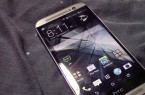
HTC isn't set to release it's 2014 flagship until later this...


The GeForce GTX 760 Gets Unleashed Another week means yet another launch...

 Neven Tomšić says:
 chicksoup says:
 Frarike says:
 Fred Luetkemeier says: