


Take That Mom and Dad, Competitive Gaming is Now an Official Sport in the US
For those who have been for decades defecating on their gamer...

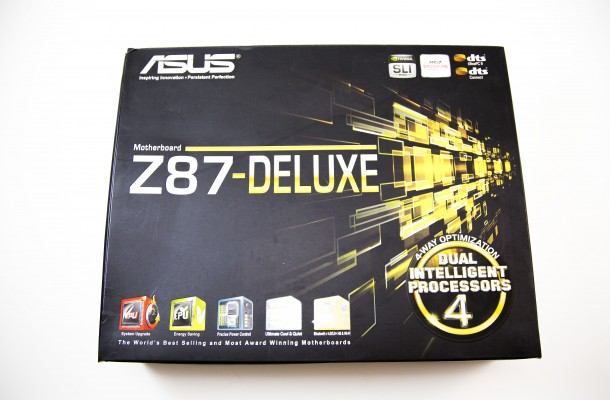
Since Haswell made its debut we have been using the crap out of our Intel i7-4770K that runs pretty decent, but does not seem to be the best overclocker we have seen from our Intel provided CPUs, as our Ivy Bridge did better on air cooling. We use an X-Frame open-air test bed from In-Win that is a limited edition number 9 of 50 to do all our standard motherboard testing. All tests are run a minimum of three times and then rounded out for better accuracy as no two runs are identical. Most motherboards only have a very marginal difference in stock performance values and that is why features now mean more than performance scores when doing comparisons between boards. It is all fairness to say though that ASUS boards do not need a stimulant though, as they have no bedroom performance issues other than getting a little hot when overclocked. Below is a chart with all of our test system parts used for the Haswell platform along with the ASUS Z78-Deluxe motherboard we are testing today.


Since our test ben only uses air-cooling we were not able to do any extreme overclocking with the i7-4770K, but we did use the TPU switch to have the board auto-overclock the board to 4.2GHz. This can be done by any user of any caliber of professionalism as its just a quick click of a switch. All the features are within the BIOS to achieve greater results, but this is my test CPU and I am not trying to blow it up either. In truth a whole article could be wrote about this subject under the proper conditions as to really push and use the overclocking options you must use radical cooling methods like dry ice or liquid nitrogen to really get results. With air cooling you may be able to push the CPU to 4.5, but then it is running hotter than normal, which degrades the life of your CPU. The bottom line here is that all the options you need are here if and when needed.

For those who have been for decades defecating on their gamer...


A few months back it was rumored that Powercolor would release...


Gaming and Performance Results Many of the time when we test video...

 gareth hughes says:
 Andrew Peoples says:
 Sanjul Gupta says:
 Raja O.o says: