

SteelSeries Debuts The Apex: World’s Fastest Gaming Keyboard
SteelSeries, who is well known in the gaming world for killer...

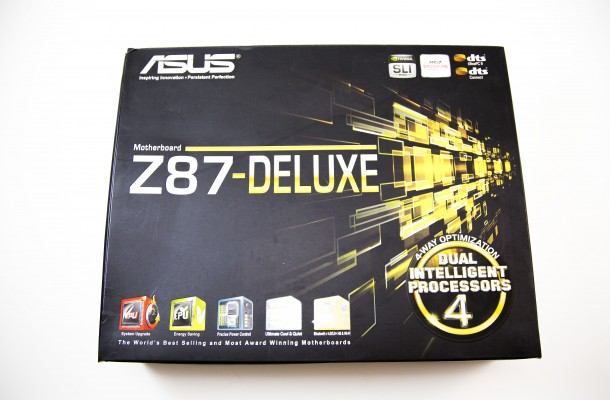
Special Features
Every ASUS motherboard I have ever uses has had a lot of special features unique only to motherboards manufactured by them and the new Z87-Deluxe follows in those same footsteps. Although not always mentioned, the parts that ASUS uses in their motherboard are always of the highest quality with Japanese caps and others that are geared for a cooler running board and a longer life span. One of the first things you will notice when setting up the board is the new UEFI BIOS mouse-driven interface that makes it very easy for the user to get their board setup. The MemOk button allows the motherboard to post with new memory even if out of sync with the timing allowing access to the BIOS where you can set the memory to its correct RAS/CAS values.

The ASUS EPU and TPU switches are very interesting (Part of their Dual Intelligence Technology) and simple to use as each has its own function that is enabled with a click of the switch. The EPU is the Energy efficiency switch that sets the motherboard to its best and greenest power saving mode and saves energy. The TPU switch is for automatic Turbo Mode that automatically sets your CPU in an overclocked state at setting ASUS knows will work with said CPU you are using. You can get an instant 35-37% increase in your performance by engaging the TPU switch that is great for novice overclockers. Both switches work very well and are geared for a different user group. ASUS Fan Xpert 2 not only allows you to monitor and control the 6 different fan headers it also allows you to individually name them which is really a cool new feature.

Dual Intelligent Processors 4 is a set of 4 different parameters of your motherboard that can all be optimized by a single click of a button. Things like precise DIGI+power control for Intel’s 4th generation Core CPUS, instant CPU performance Boost, total customizable fan control and the all around energy savings of the EPU are all aspects of this new tech.

WiFi to go is another unique feature to the Z87-Deluxe motherboard that allows excellent communication between other wireless devices in your home. You can use the remote desktop feature to log into your PC using an iPad or smartphone and then use the remote keyboard and mouse function by using your tablets built-in QWERTY keyboard to type and to click. This feature also allows instant file sharing, capture and send by way of a selected hotkey and more. ASUS is trying to get the ultimate fusion of desktop, smartphone or pad in order to make your computing life a little easier.

You also get Network iControl USB 3.0 Boost, USB Charger+ and Disk Unlocker as well as the entire Q-Design and EZ DIY features with the Z87-Deluxe. The EZ DIY things are all things to do with updating and controlling of the UEFI BIOS. USB BIOS Flashback, CrashFree BIOS 3 and ASUS EZ Flash 2 along with the OC Tuner are all part of the EZ DIY feature group. The ASUS Q-Design consists of Q-Codes, Q-Shield, Q-LED, Q-Slot, Q-DIMM and finally Q-connector. The Q-connector Is a one-piece plug that sits on top of the front panel headers, with clearly marked inputs for each. You no longer have to mess with easily bent pins. The wires go into the Q-Connector, and then you are done with no hassle.

In the Windows 8 environment there is an entirely new features called the DirectKey, which is a dedicated button that forces the system into the BIOS upon the systems restart after using the DirectKey button. Power control is one of the most essential motherboard designs for ASUS. Intelligent CPU power draw detection with ASUS DIGI+ Power Control is an innovative, industry-leading technology that fully complies with Intel® VRD12.5 specifications, increasing overclocking potential, enhancing system stability, and improving power efficiency with superior flexibility and accurate control.

Using multi monitor configurations is becoming more and more prevalent as time goes on and the ASUS Z87-Deluxe can support a 3-monitor 4K configuration. The Z87-Deluxe motherboard features advanced onboard graphics that support up to three monitors at once, each displaying in 4K Ultra HD. Three digital outputs make it easy to connect three monitors, which is great for a wide range of applications. Experience super-detailed and immersive visuals for gaming, multimedia entertainment, and productivity.


SteelSeries, who is well known in the gaming world for killer...

Ever since the existence of phones, making devices thinner and lighter...

Just like any pre-Samsung phone release, somehow every phone on their...


Speeds and Feeds All variations of the new GeForce GTX 760 will...

 Philip Bell says:
 Infinizen says:
 brisen says:
 Raymond Ortiz says: