

SteelSeries Debuts The Apex: World’s Fastest Gaming Keyboard
SteelSeries, who is well known in the gaming world for killer...

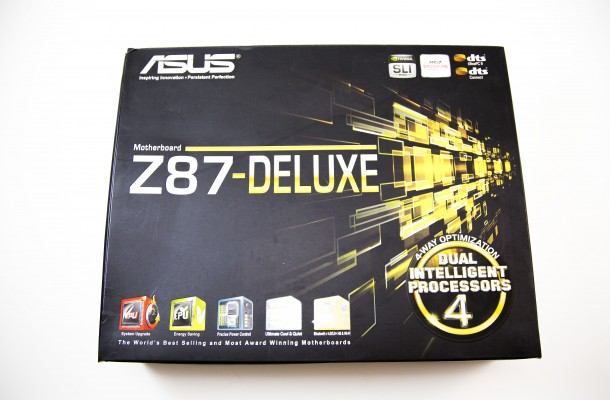
The Overall Experience
Many times when you purchase motherboard and get it home, you often find out that you still needed something extra to make you totally satisfied with your buy. Starting out right there, I have to say I was very pleased to notice that ASUS has everything that I needed to hook up my components by way of accessories. The manual was very fleshed out and informative about what the board had to offer and where everything is located making hookup and installation a much less confusing and drama free event than some products we have seen here in the lab. After we installed the motherboard, which I have to stress again was just, well un-stressful we had to go through the rigors of making sure all the ports are working and that our BIOS setting were all correct before Windows installation.

The BIOS itself has been redesigned completely from previous generations and is starting to become dumb easy to navigate through and use. You can use the BIOS in EZ or Advanced MODE depending on your knowledge, but if you want picture simplicity it’s so easy a cave man can do it. Most mice or keyboards in today’s market can easily navigate ASUS’s new UEFI BIOS. My BIOS was a little dated so I flashed the BIOS using ASUS’s patented technology. The USB BIOS Flashback is a Hardware-level USB BIOS Flashback allows users to update to new UEFI BIOS versions even without a CPU or DRAM installed. Just plug in a USB flash drive containing the BIOS file and press the BIOS Flashback button for 3 seconds with the power supply connected. Hassle-free updating for ultimate convenience.

Windows had no issues finding any of the drives and after the initial Windows setup the drivers were easy to install off the provided CD where you can install the drivers automatically or manually upon your discretion. I personally just used the ASUS auto-install option and the system did the rest and then chose my ASUS software as needed and installed it as well. Once I installed the new AI Suite 3 in the Windows environment my options for total control over my motherboards parameters could be monitored and controlled without having to be in the BIOS to do so. I have now been using the Z87-Deluxe for over a month now and my overall experience was one of a straightforward, simple to setup and easy to use motherboard that offers an abundance of special features and user options sure to please many a user group. ASUS has come up with a winner; the Z87-Deluxe has enough standard and unique features that make it an Editors Choice for the desktop market.


SteelSeries, who is well known in the gaming world for killer...

Ever since the existence of phones, making devices thinner and lighter...

Just like any pre-Samsung phone release, somehow every phone on their...


Conclusion and Final Thoughts I have to say right off the bat...

 Philip Bell says:
 Infinizen says:
 brisen says:
 Raymond Ortiz says: